
Coin Collection Spreadsheet vs. an App: What You Gain
Spreadsheets are where most collections start. Where they fall short: stale spot prices, hand-typed weights, fragile formulas, and a file stuck on one computer.
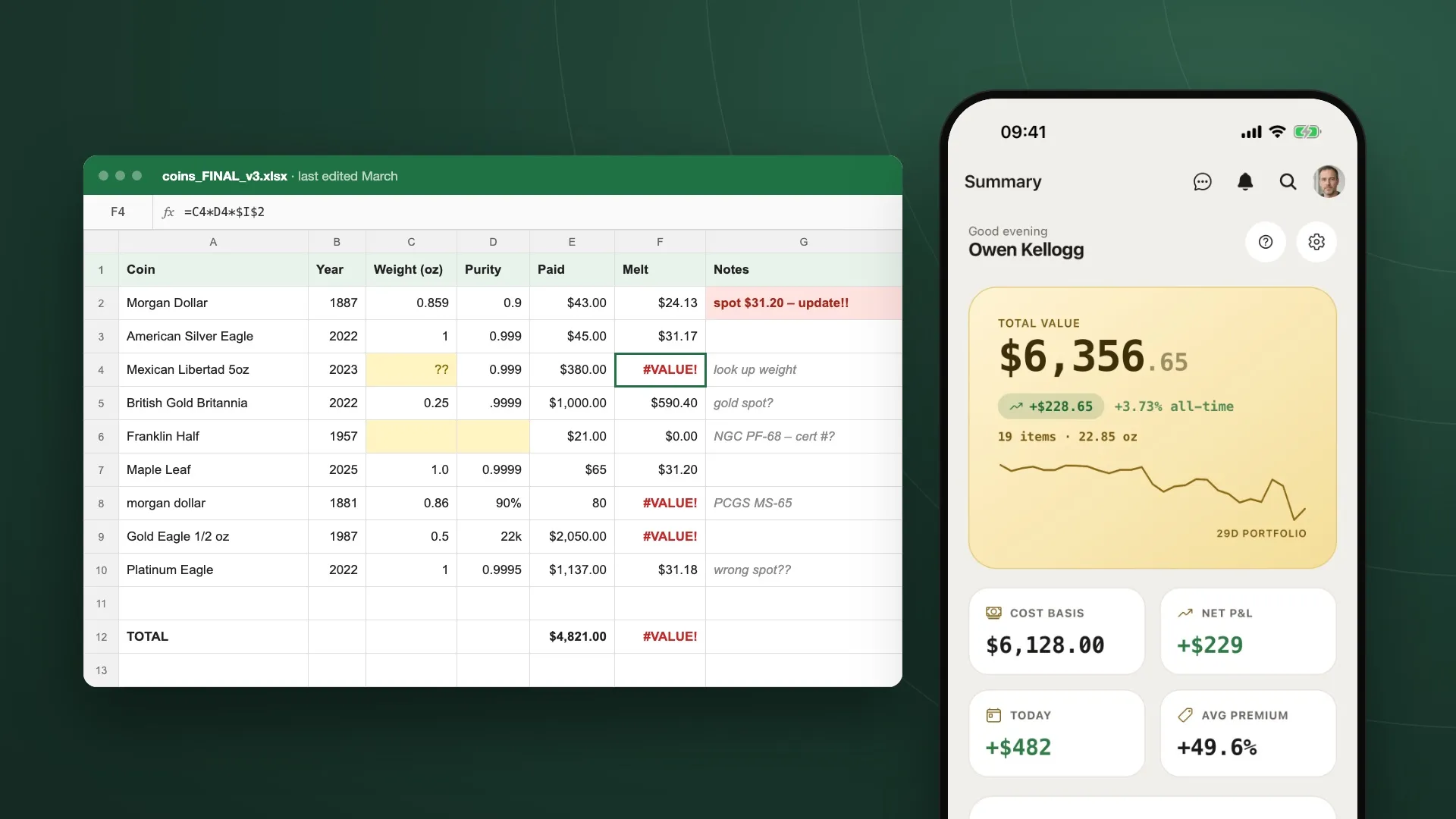
Almost every collection gets a spreadsheet at some point. It’s free, it’s already on your computer, and a column for the coin, one for the year and one for what you paid feels like all you need.
For a dozen coins, it usually is. The trouble starts when you want the spreadsheet to answer questions. What is all this worth today? Am I up or down? How much silver do I actually have? Answering those means keeping a lot of things up to date by hand, and that’s the work most people stop doing.
Here’s where a spreadsheet tends to break down, and what a dedicated app like My Coin Stack does instead.
At a glance
| Spreadsheet | My Coin Stack | |
|---|---|---|
| Spot prices | Typed by hand, soon stale | Live, for four metals |
| Weight and purity | Looked up for every coin | From a catalog of 60,000+ coins |
| Melt value and P&L | Formulas you maintain | Calculated automatically |
| Reports | Pivot tables you build | Four views, ready made |
| Finding a coin | Ctrl+F and careful sorting | Live search, stacked filters |
| Where it lives | One file, one computer | Web, mobile and TV, synced |
| Photos | Links to files elsewhere | Stored on each item |
1. Spot prices that are actually current
A spreadsheet only knows the spot price you last typed into it. That one number feeds every melt value in the sheet, so when it’s three weeks old, every total built on it is three weeks old too. Gold and silver need separate cells, platinum gets forgotten, and sooner or later a formula ends up pointing at the wrong one.
My Coin Stack pulls live prices for gold, silver, platinum and palladium and values your whole collection against them. Each metal shows its move against the previous close, and when the market is closed the app tells you, so you never mistake a frozen price for a live one. The same live price drives the melt value on every item and every catalog entry.
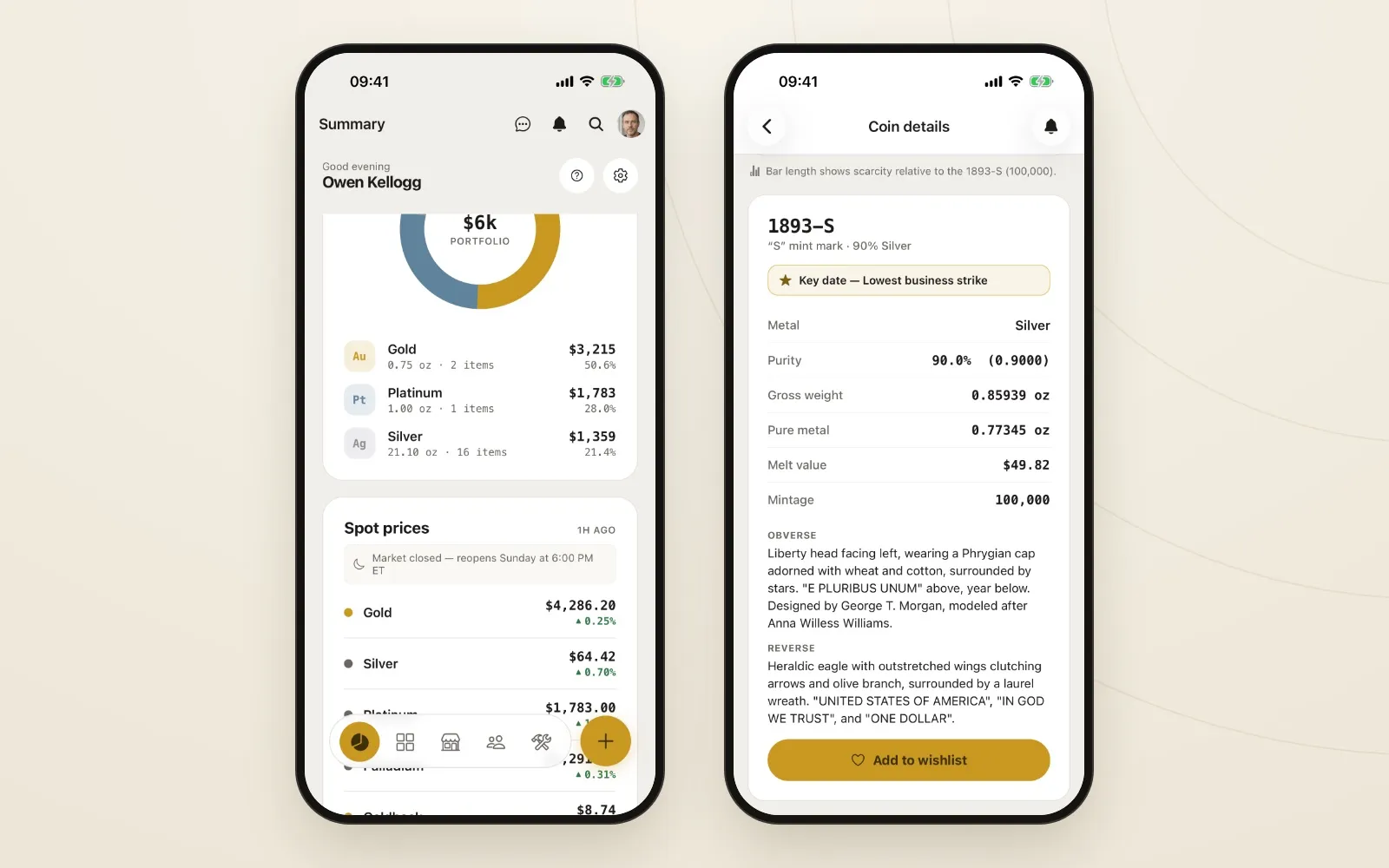
Spot prices refresh on their own, and every melt value in the app follows them.
2. A catalog that knows the weights for you
To work out melt value in a spreadsheet, every row needs the coin’s weight and purity. That means looking them up: a Morgan dollar is 0.859 oz at 90% silver, a Gold Eagle is 22 karat, a Britannia is .9999 fine, and so on for every coin you own. It’s slow, and one wrong digit quietly throws off the total.
My Coin Stack has a reference catalog of more than 60,000 coins. Search for the coin, pick the finish you have, and the metal, weight and purity come from the catalog, along with the year, country and mint. You’re confirming details rather than researching them. Catalog entries also flag key dates and show mintages, so the expensive years stand out before you overpay for a common one.
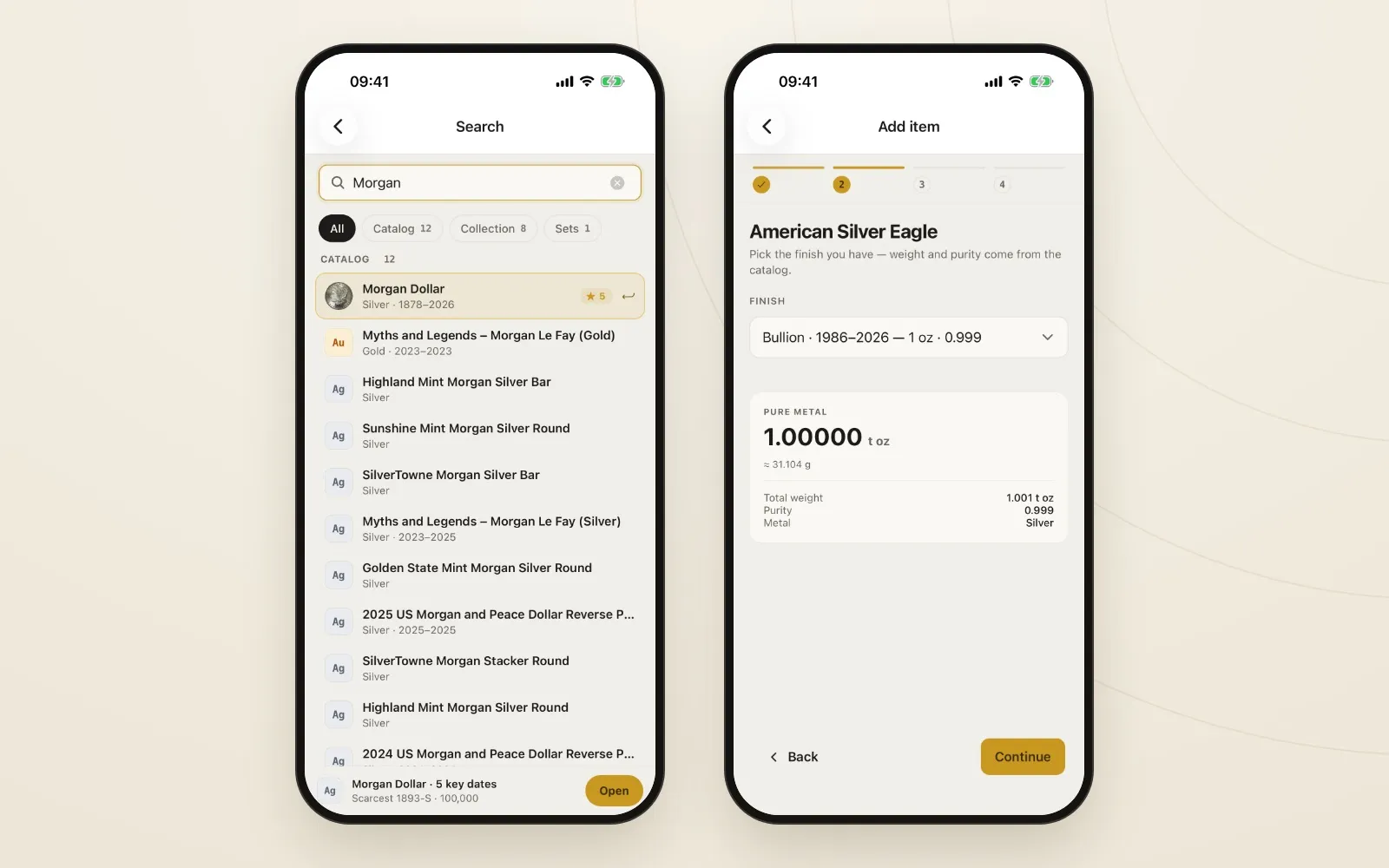
Search, pick the finish, and the weight and purity come from the catalog.
If a coin isn’t in the catalog yet, you can request it from inside the app.
3. Reports you don’t have to build
A spreadsheet can produce a report, but you have to build it: a pivot table here, a chart there, and formulas that break when you insert a row. Most collection spreadsheets never get past a single total at the bottom of the sheet, and that total often reads #VALUE!.
Reports in My Coin Stack gives you four views of the same collection, already built:
- Financial: collection value, total invested, ROI, average cost per item and total weight, with value over time and monthly acquisitions.
- Composition: what your stack is made of, broken down by metal, style, country and vendor.
- Quality: how complete your records are, with a list of the specific items missing a price, photo or grade.
- Analysis: the premium you’ve paid over melt, charted over time, and how your graded coins break down by service and grade.
You can filter the whole report at once by model, country, mint, vendor or tag, so a question like “what has this one dealer actually cost me?” is a couple of taps, not a new tab.
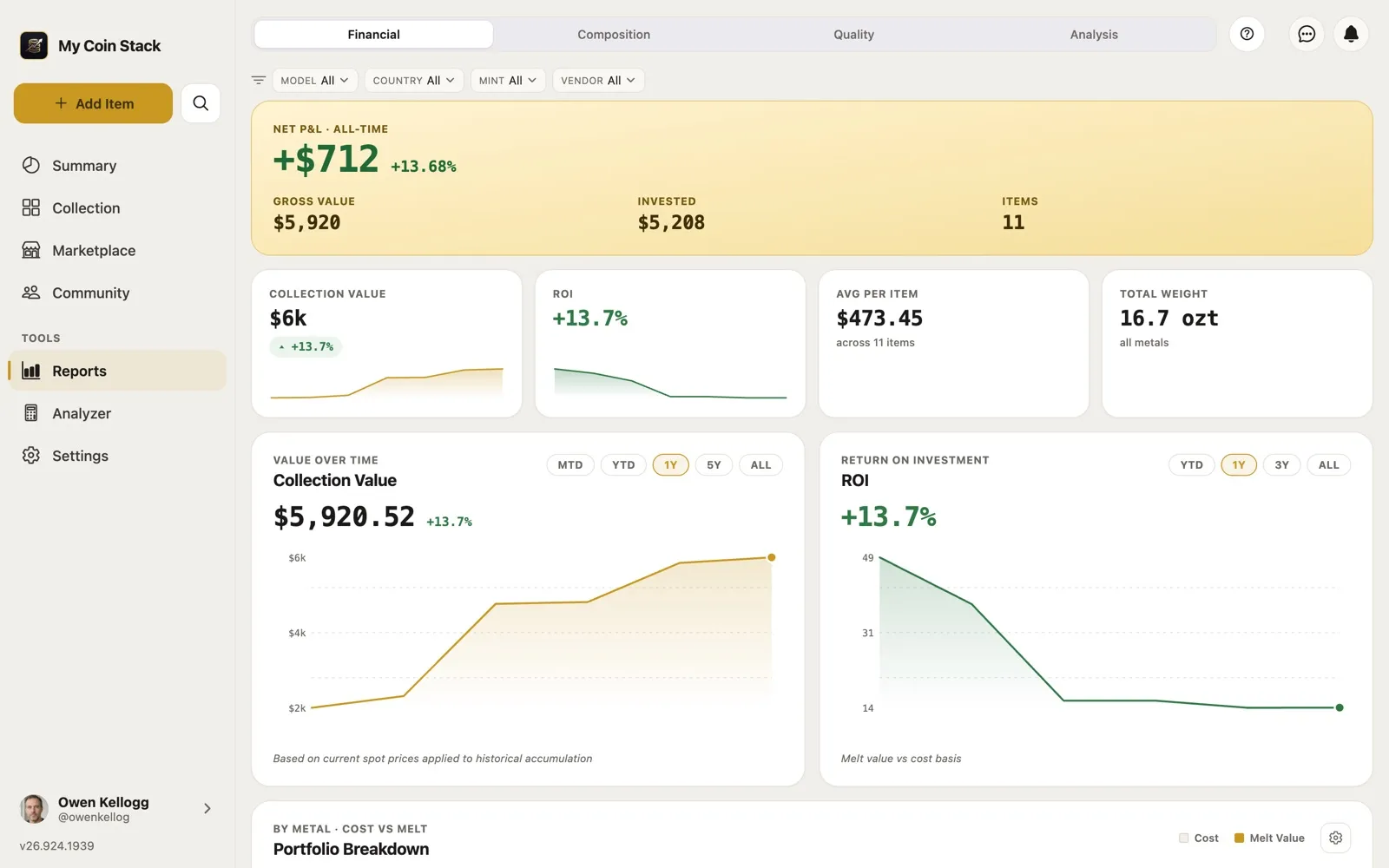
The Financial view: value, cost and return, without writing a formula.
4. Searching and sorting without breaking anything
Sorting a spreadsheet works until someone sorts one column without the others, and the 1887 Morgan’s purchase price ends up on the wrong row. Filtering by more than one thing at a time means remembering how the filter menu works, and finding a coin across a few hundred rows means scrolling.
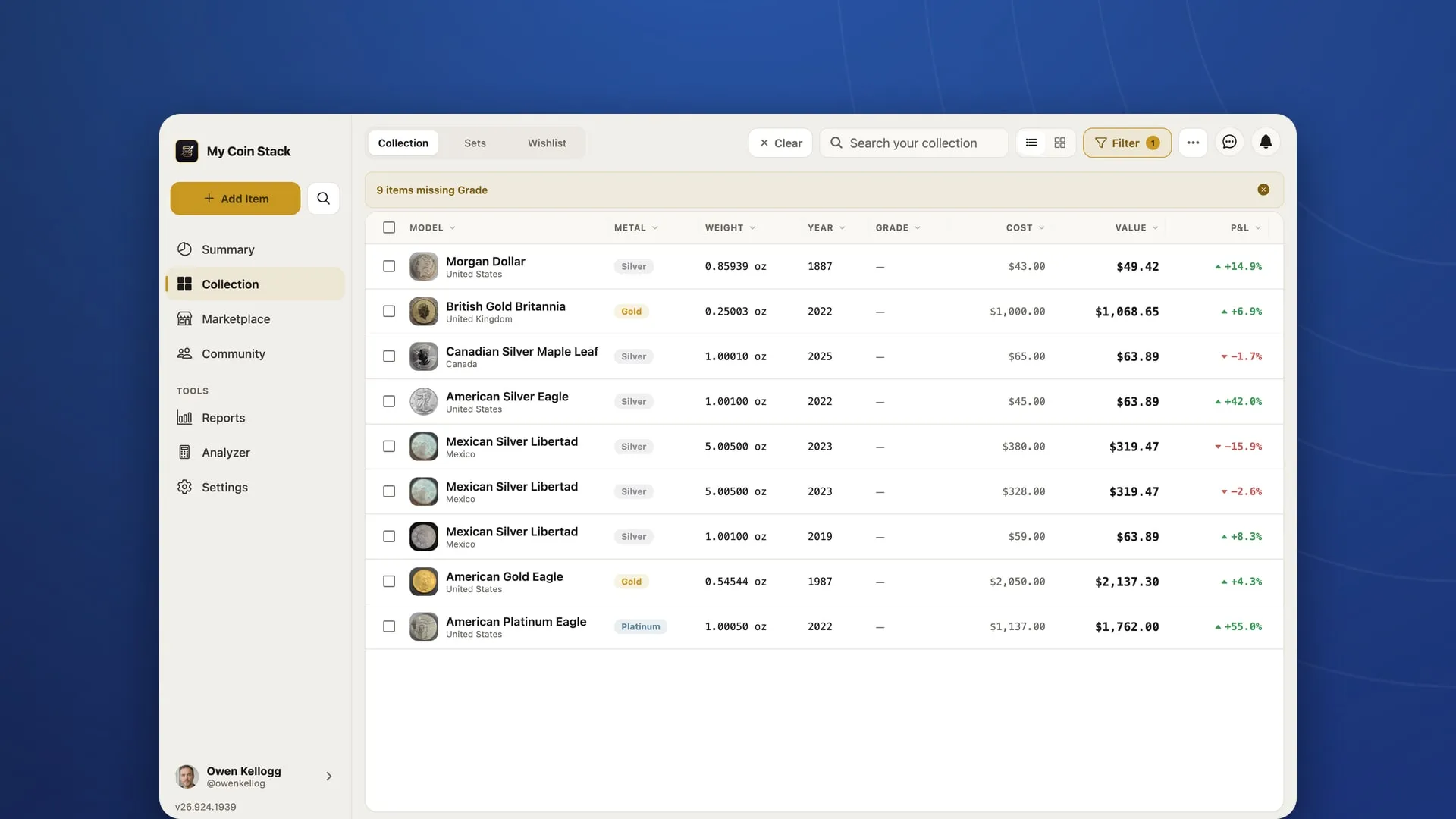
In the Collection, search runs across model, year, country, mint and vendor as you type. Filters stack: metal, style, country, grading service, grade, your own tags, and quick toggles for fractional pieces or 1 oz and up. Sort by value, weight, year or date added, and the rest of each record always travels with it. Select several items at once to archive or edit them together.
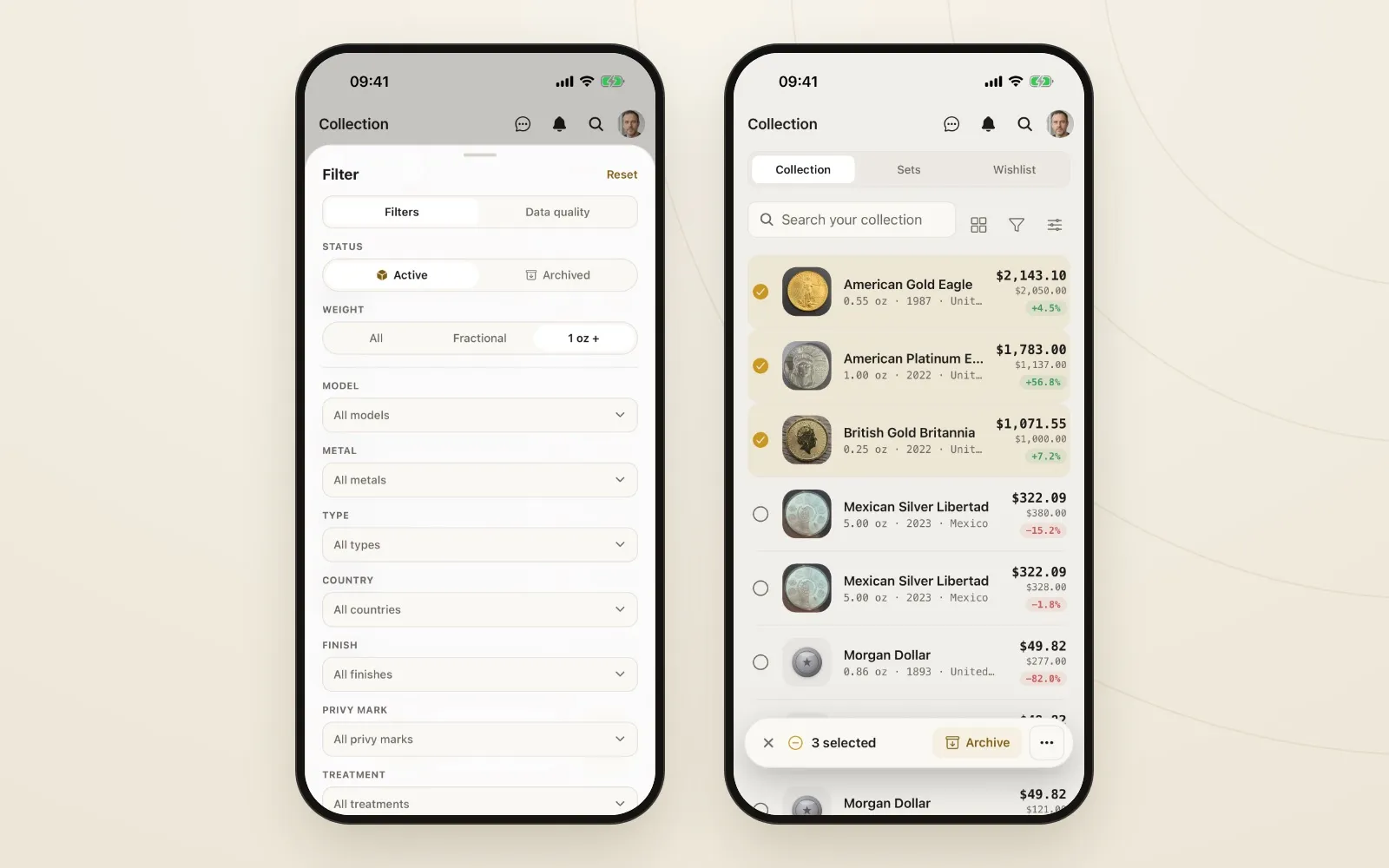
Filters stack, sorts never scramble a row, and bulk edits take a few taps.
5. Your collection, wherever you are
A spreadsheet lives in one file. Maybe it’s on your desktop, maybe in a cloud folder, but either way it’s awkward to open on a phone at a coin show, when you’re standing at a dealer’s table wondering whether you already own that date.
My Coin Stack keeps your collection in the cloud and syncs it to every device you use. Use it in any browser, on mobile, or on your TV. Add a coin on your phone at the show and it’s in your reports on the laptop when you get home. Photos go with it too: obverse, reverse and slab, stored on the item instead of in a folder somewhere else.
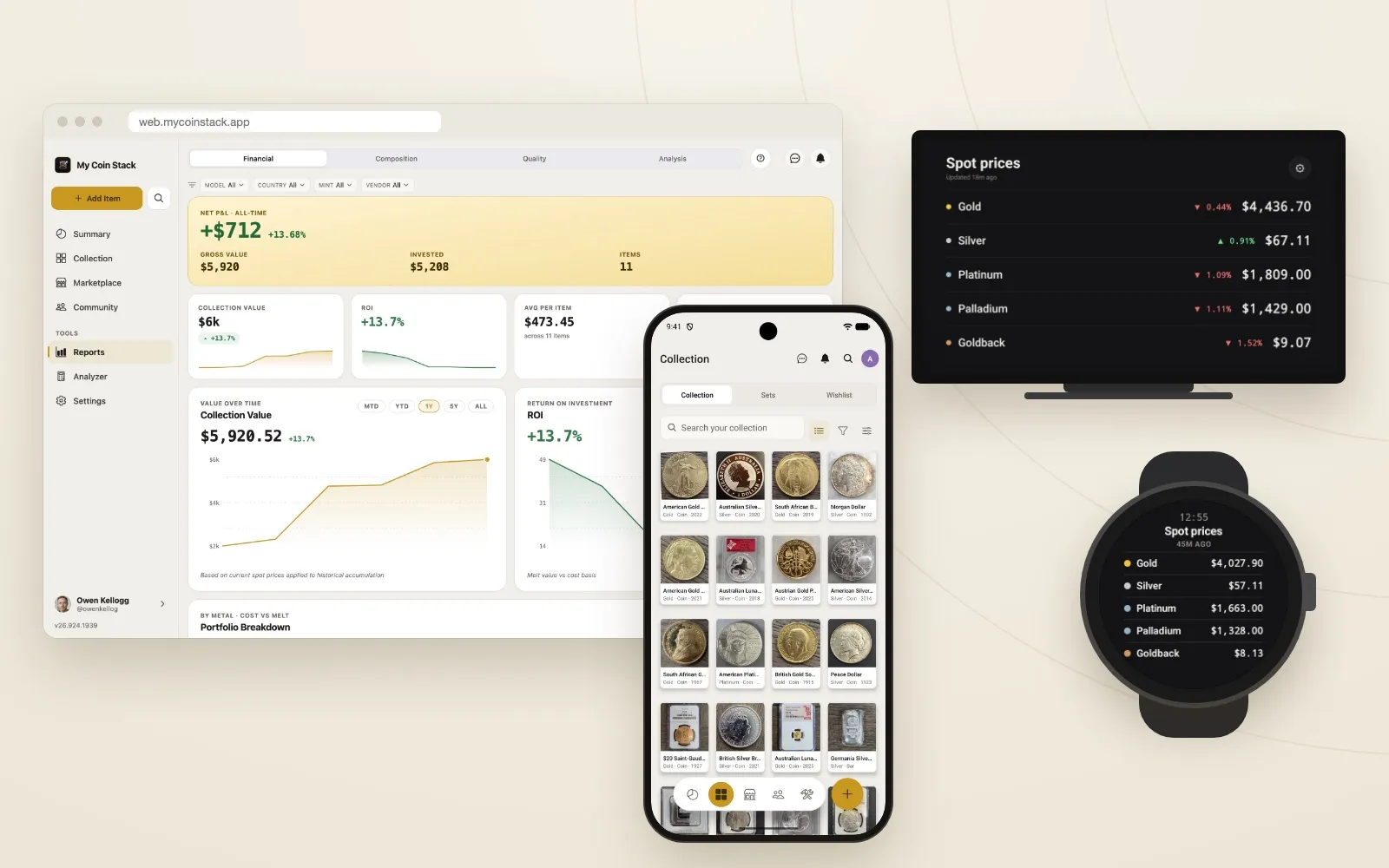
One collection on the web, your phone, your TV and your wrist.
When a spreadsheet is still enough
To be fair to the spreadsheet: if you have a small collection, don’t care about melt value, and mostly want a list to look at, it does the job. It’s free and it’s yours.
My Coin Stack is free for up to 25 items, with every report and the full catalog included. Pro removes the item limit. And if you outgrow the app, or just want a copy, it exports back to CSV and Excel whenever you like.
Moving your spreadsheet over
You don’t need to retype anything. My Coin Stack imports from CSV and Excel on every plan, so your existing spreadsheet can come with you, and the support site has step-by-step guides for the import. Once it’s in, the Quality report will show you which records to finish first. If you’re tidying your records as you go, our guide to organizing a coin collection covers the habits that make every report more accurate.
Keep reading
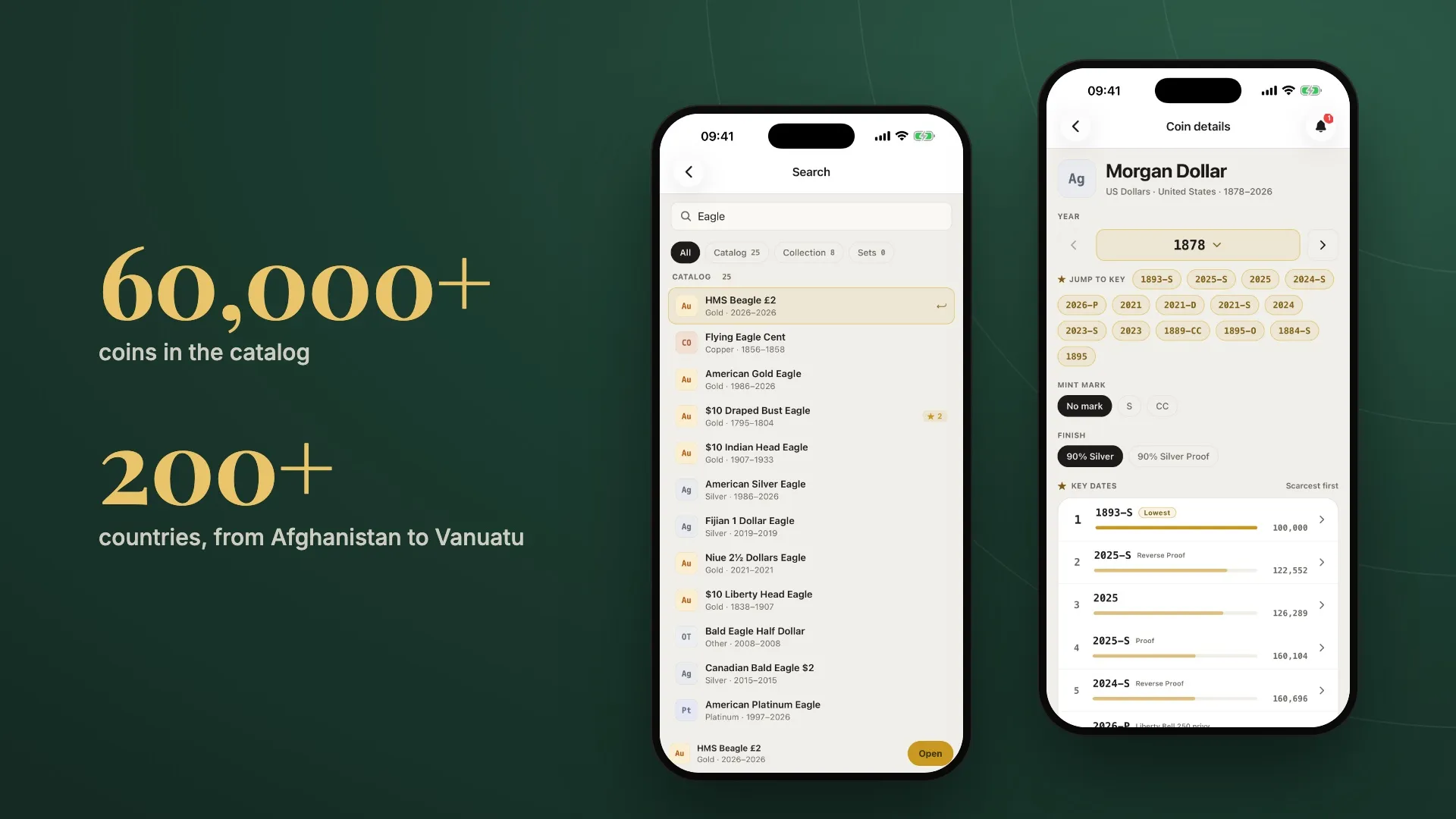
Inside the Catalog: 60,000+ Coins From 200+ Countries
One search covers more than 60,000 coins from over 200 countries, with mintages, key dates and design notes, plus weights that fill in when you add a coin.
How to Organize a Coin Collection So the Numbers Mean Something
A collection you've recorded and a collection you can report on aren't the same thing. Five habits that close the gap, and how to catch what's missing.
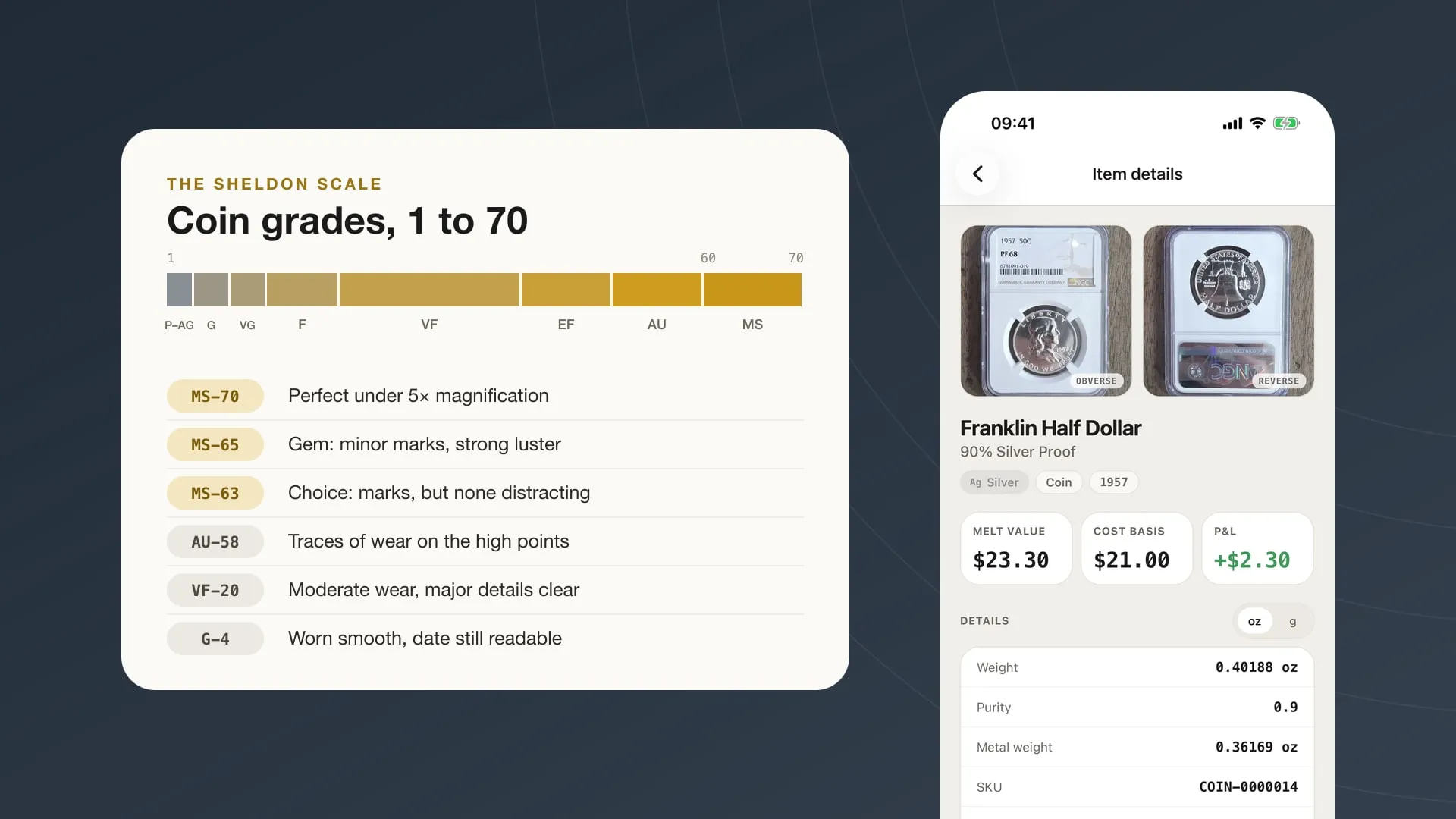
Coin Grading Basics: What MS-63, VF-20 and 'Details' Mean
How the 1–70 Sheldon scale works, what the letters and plus signs on a slab mean, when third-party grading is worth paying for, and how to record grades.

Put it to work on your own stack.
My Coin Stack is free in any browser, with no card required.